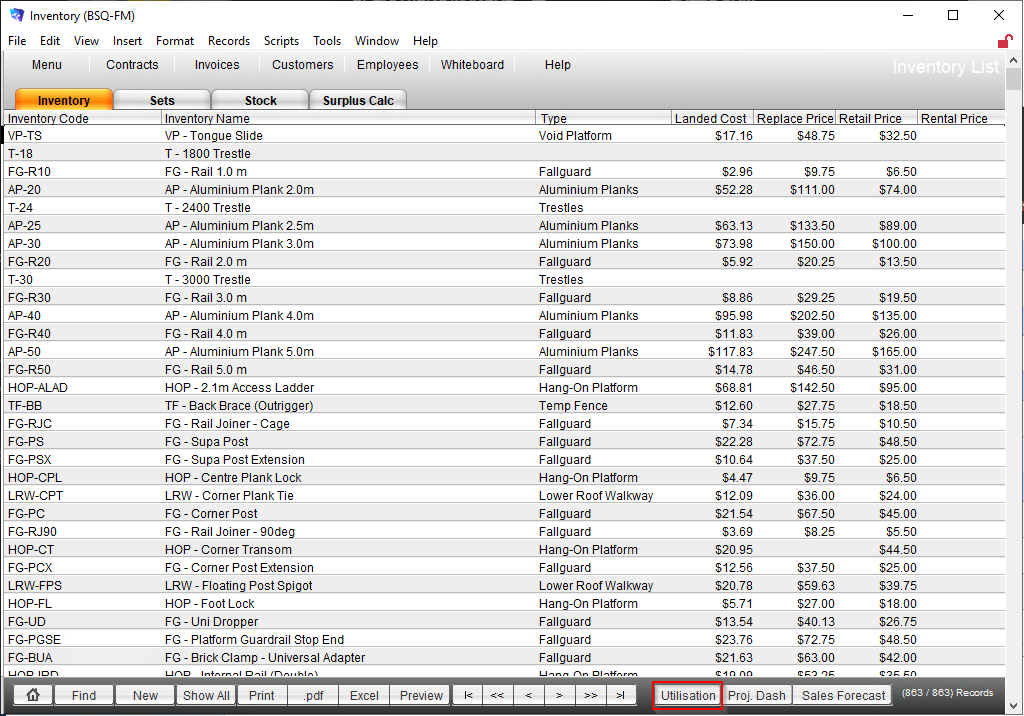
1. Open via the Inventory List.
2. Select the relevant combination of locations. There is also shortcuts to select a state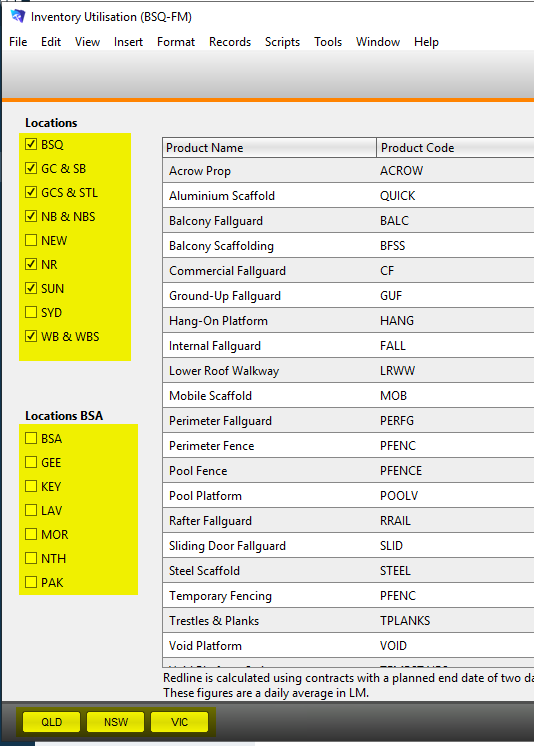
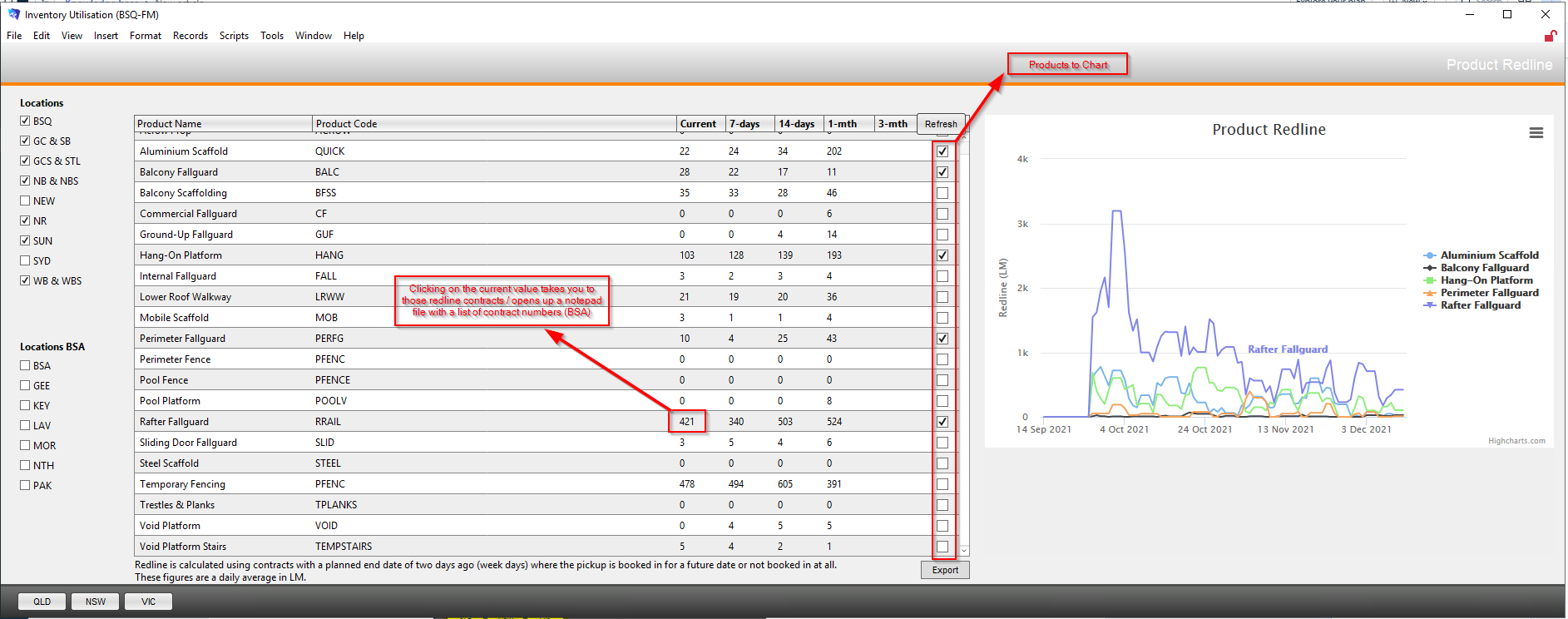
3. If the Refresh button is red you need to press refresh to recalculate the figures.


Modified on: Mon, 13 Dec, 2021 at 1:56 PM
1. Open via the Inventory List.
2. Select the relevant combination of locations. There is also shortcuts to select a state
3. If the Refresh button is red you need to press refresh to recalculate the figures.
Did you find it helpful? Yes No
Send feedback